Motion Avatars (Beta) – Bring Your Avatar to Life!
Welcome to the next level of digital avatars! Our Motion Avatars (Beta) allow your studio avatars to perform natural, engaging motions—perfect for making your content more dynamic.
How to Use Motion Avatars
Step 1: Find a Motion Avatar
- Look for studio avatars with the motion icon. These avatars are enabled with motion capabilities. Many more will be added in the future.
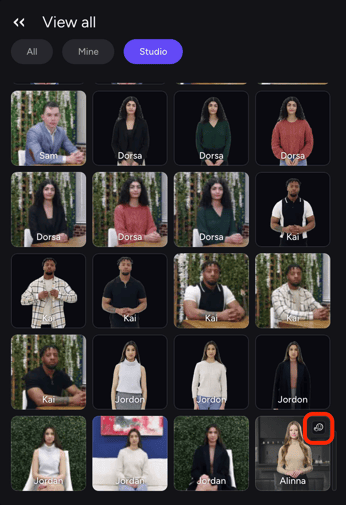
Sep 2: Select a Motion Avatar
- Choose your preferred avatar from the available motion-enabled options.
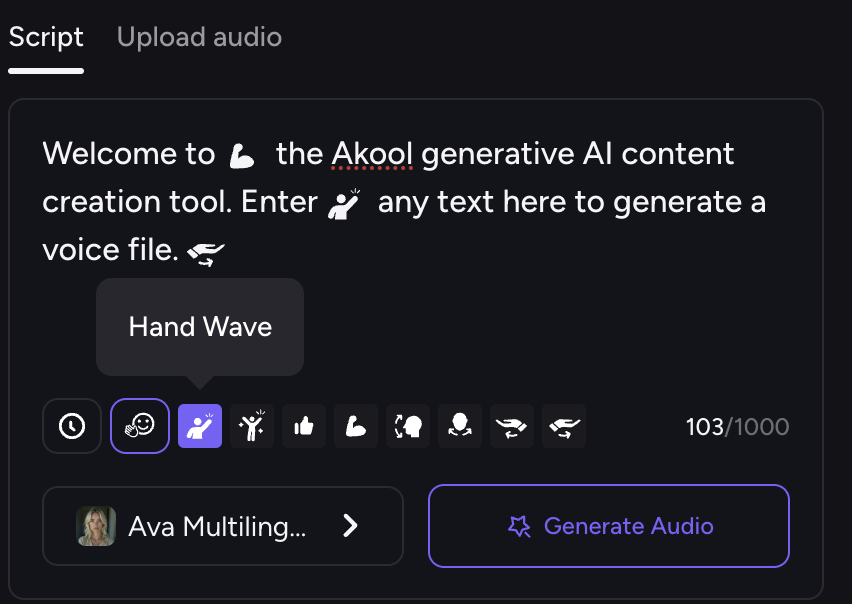
Step 3: Add Motion to Your Script
- Type your text as usual.
- Decide where in the script you want the avatar to perform a motion.
Step 4: Choose a Motion
- Select from available gestures like:
- Hand wave
- Thumbs up
- Pump Fists
Step 5: Generate!
- Generate your lifelike avatar!
Try our Motion Avatars (Beta) now and create more engaging, lifelike videos!
