AKOOL Help Center

All topics   ·   Knowledge Base   ·   API Docs   ·   Contact support

Home
Image to Video
How to Use Image to Video

How to Use Image to Video

Step 1: Upload Your Image

  1. Log in to your AKOOL account.
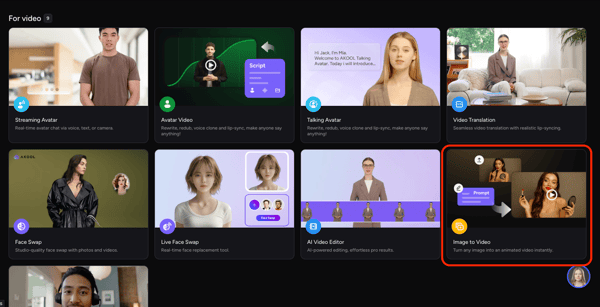
  2. From the Dashboard, select Image to Video.

Selecting Image to Video from the AKOOL Dashboard

  1. Upload the image you want to animate.

Tip: Use high-quality images with a subject for best results.
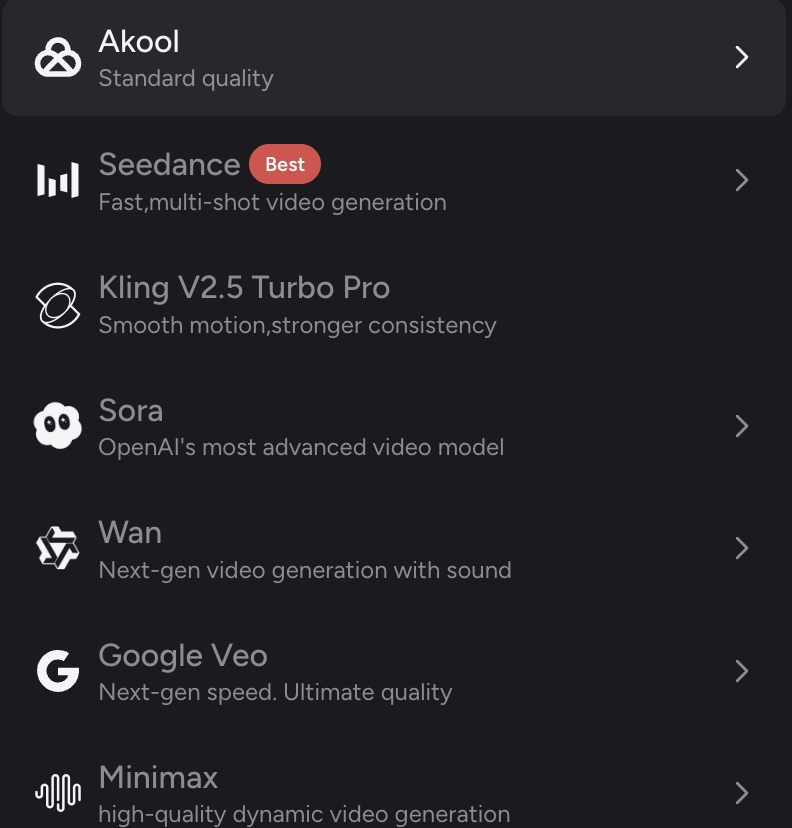
Step 2: Choose Your Model

  • Akool Premium
  • Seedance
  • Kling
  • Sora 2/Sora 2 Pro
  • Wan
  • Nano Banana/Nano Banana Pro
  • Minimax Hailuo
  • Google Veo 3.1

Choosing a model for Image to Video

Pro Tip: Credit pricing for each model will differ. The Akool model is the most affordable, while not sacrificing quality!
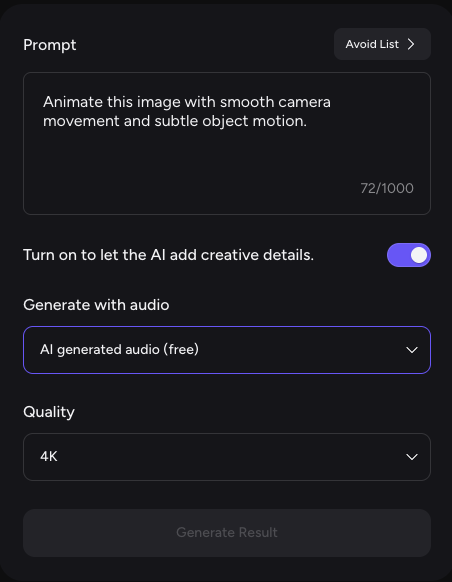
Step 3: Prompt Your Video

Writing a prompt to describe the motion in your Image to Video


  • Be specific – Describe the scene, motion, or emotion clearly (e.g., “woman smiling and waving in slow motion”).

  • Use action words – Add verbs like “walking,” “turning,” “laughing,” or “blinking” for movement.

  • Mention style/tone – Specify if you want something cinematic, realistic, cartoonish, dramatic, etc.

  • Control the mood – Add descriptors like “joyful,” “mysterious,” or “professional” to shape the vibe.

  • Set the context – Include setting elements like “studio lighting,” “sunset background,” or “city street.”

Pro Tip: Start your prompt with the desired action first, then describe the subject!

Step 4: Choose Audio & Negative Prompts


  1. Describe the audio in the prompt or upload your own.
  2.  Use negatives like “no glitch,” “no blur,” or “no distortion” to keep the video clean.
  3. Add phrases like “no extra arms,” “no exaggerated expressions,” or “no cartoon effects” to improve realism and consistency.

Step 5: Generate!

  1. Once satisfied, choose your desired quality!

Choosing the video quality before generating

AKOOL model pricing:

720p - 20 credits per 5 seconds

1080p - 25 credits per 5 seconds

4k - 30 credits per 5 seconds

Quick Tip: Use AKOOL’s Community to share your amazing creations and earn credits!